


Math fluency is a crucial foundation for student success in STEM fields. However, traditional worksheets often fail to inspire engagement among today’s digital-focused students. That’s why 99Math offers an innovative approach. As a free multiplayer game platform, 99Math gives students grades 1-12 an entertaining way to master math skills through online competition and practice.
With its classroom-focused design, 99Math also provides teachers with the tools to assign targeted math practice while tracking individual progress. Keep reading to learn how students and teachers can easily get started with this intuitive platform, and leverage engaging, multiplayer games to make mathematics fun.
How To Login On 99math?
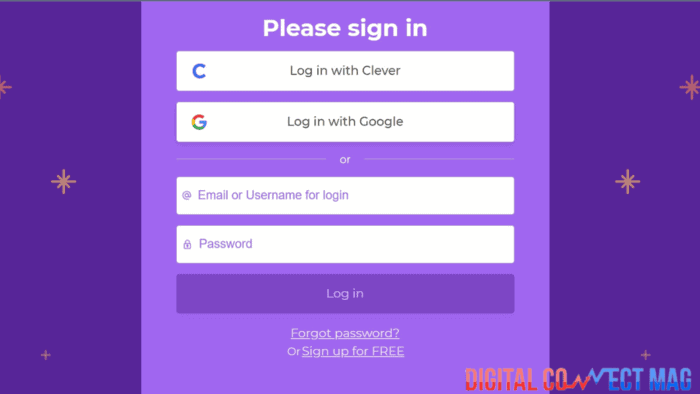
Getting started with 99Math is as easy as it gets.
Here’s what you have to do:
Go to their website 99Math.com and click sign up in the top right corner. You can create an account directly on their site using your email address, or sign in with Gmail or Clever email if your school uses those. Make sure to select if you’re signing up as a student, teacher, or parent.
Once you create your 99Math account, just enter your username and password on their homepage to sign in. As a student, you’ll be able to start playing math games right away.
Teachers can access their teacher dashboard to set up classes, create games, monitor student progress, and more. Parents can link to their child’s account to stay updated on their learning.
With the 99Math app coming soon, you’ll also be able to log in on mobile devices. For now, just bookmark the 99Math login page on your computer web browser so you can quickly access your account. And just in case you forget your password, don’t sweat it.
You can click “Forgot Password” to reset it and get back into your account easily.
99math login code for joining 99math games?
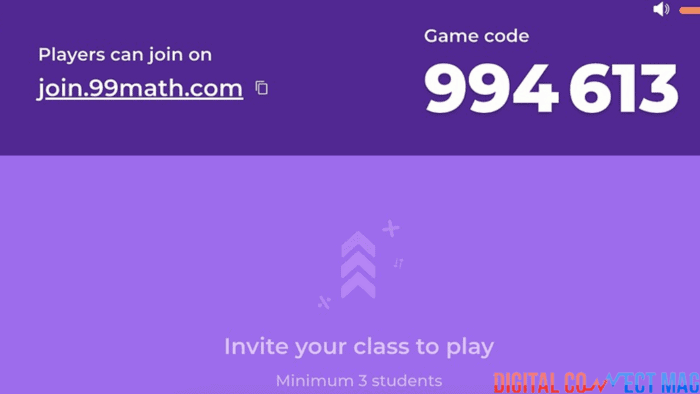
To join specific 99Math multiplayer games that teachers set up, students simply need to enter the game login code provided. Teachers can generate unique game codes through their teacher dashboard to create live math competitions, races, or other games.
Students then go to the 99Math game arena, click “Join Game” and input the code to enter that live challenge. This allows the entire class to quickly get into the same game by using the common code the teacher supplies.
How to host a game on 99math?
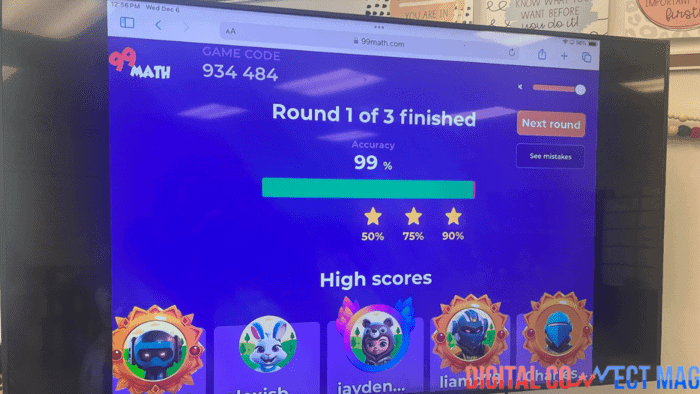
Hosting a live multiplayer game on 99Math is easy for teachers. First, log to your teacher dashboard and select “Create Game” – you can then choose from different game formats like Target Number or Math Fact Fluency. Note that you will need to invite a minimum of 3 students to start any game.
Pick the math concept, difficulty level, game length, and other options. Then click “Create”, and 99Math will generate a unique code for that game. Share the code with your students so they can input it at 99Math.com/join and start playing.
As the host, you’ll be able to monitor the game leaderboard and student progress in real time. Adjust difficulty levels as needed between rounds.
How To Customize Games on 99math?
99Math enables teachers to easily customize games to align with their curriculum and classroom needs. After logging into your teacher dashboard, you can select preferred game formats, from target number challenges to visual puzzle games. Then specify the math concepts you want students to practice, like fractions or algebra.
Adjust difficulty levels based on your students’ current competencies. You can also set game length and options like enabling power-ups. With this ability to tailor every game detail, you can assign math practice that is engaging and at the appropriate level for your students.
Conclusion
By transforming math practice into an entertaining, social experience, 99Math is shaping the future of elementary and secondary math education. Its unique model empowers teachers to combine targeted instruction with game-based engagement.
With its continued expansion, 99Math promises to inspire students to build the strong math foundations that lead to STEM success.
