

Face swapping can help a marketing team test presenter variations or personalise an approved campaign without arranging another full shoot. The risk is that a technically convincing result can also misrepresent a person if identity rights, source-footage rights and disclosure are handled casually.
This guide gives teams a consent-first workflow for planning, generating, reviewing and publishing face swap videos while keeping the campaign useful, accurate and accountable.
When Is an AI Face Swap Video Appropriate for Marketing?
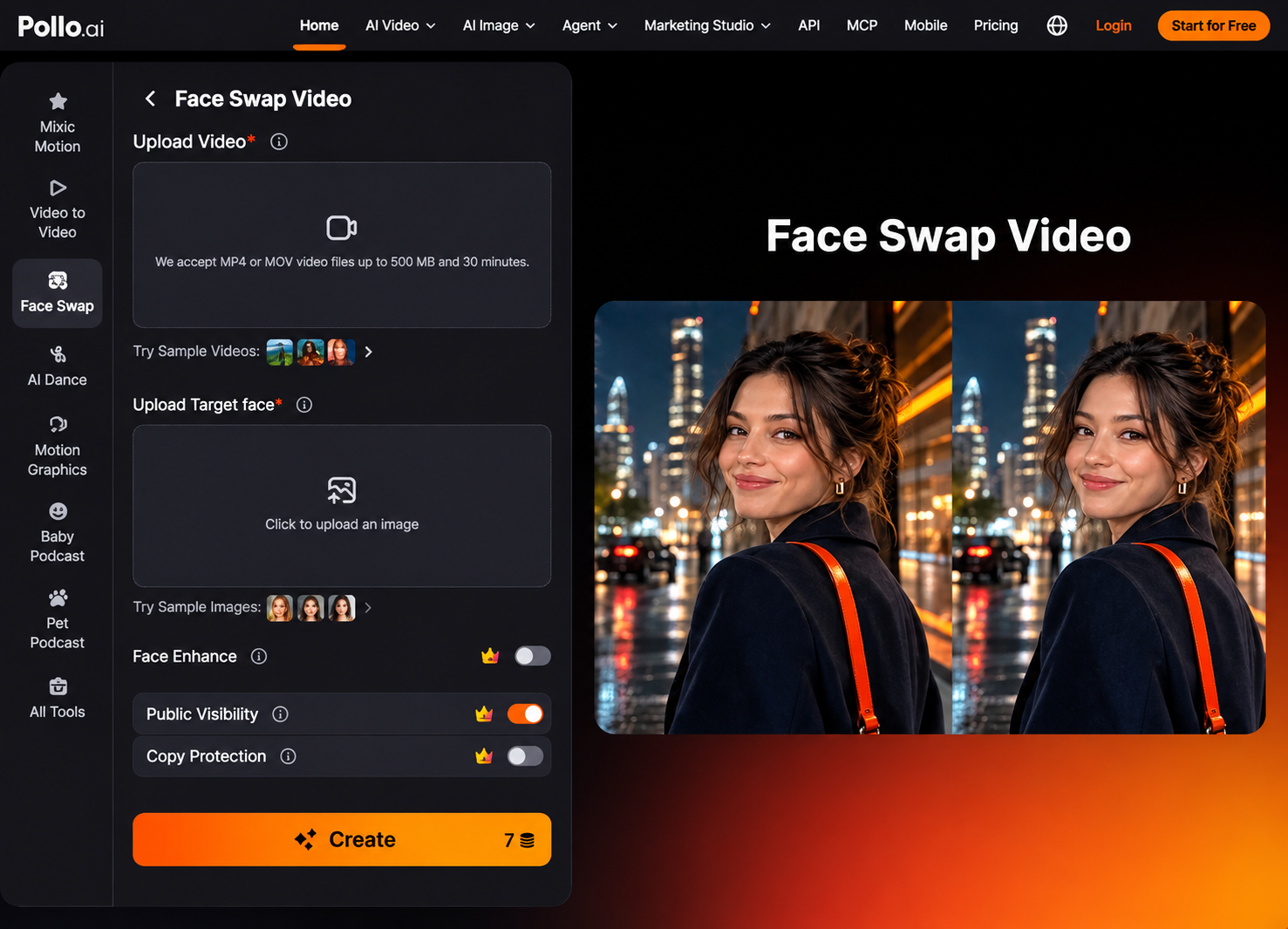
An AI face swap video is appropriate when the team has permission from the identifiable person, rights to the source footage and a clear, non-deceptive campaign purpose. It should create an approved variation, not imply an endorsement or action that never occurred.
Pollo AI can create an AI face swap video by detecting a face, tracking it across frames and blending the replacement with the original movement, lighting and expressions. It suits authorised presenter tests, UGC-style campaign concepts and personalised social clips, but the depicted person must approve the planned message and distribution.
If a viewer could reasonably believe the person recorded or endorsed the message, obtain explicit permission for that use before generation. A public photo or social profile does not automatically grant permission for a new performance.
What Is the Consent-First Face Swap Video Workflow?
Secure written permission and confirm every source right before uploading a face or video, then generate a small test and review identity accuracy before wider production. The order matters because technical approval cannot repair missing consent.
- Define the campaign use. Record the message, audience, channels, paid placement, regions, campaign period and planned versions.
- Obtain identity consent. Ask the person whose face will appear to approve the replacement, script, source footage, channels and paid advertising use. Keep the approval with the campaign records.
- Clear the source assets. Confirm rights to the original video, target-face image, music, trademarks, products and locations. Permission from the face owner does not replace permission from the footage owner.
- Prepare a representative test. Use a clear face image and a short section containing an expression, head turn and lighting change. This exposes tracking problems before wider production.
- Generate and inspect the swap. Check the first frame, expressions, profile angles, motion blur and the transition through shadows. Reject results that slip, flicker or change identity as the subject moves.
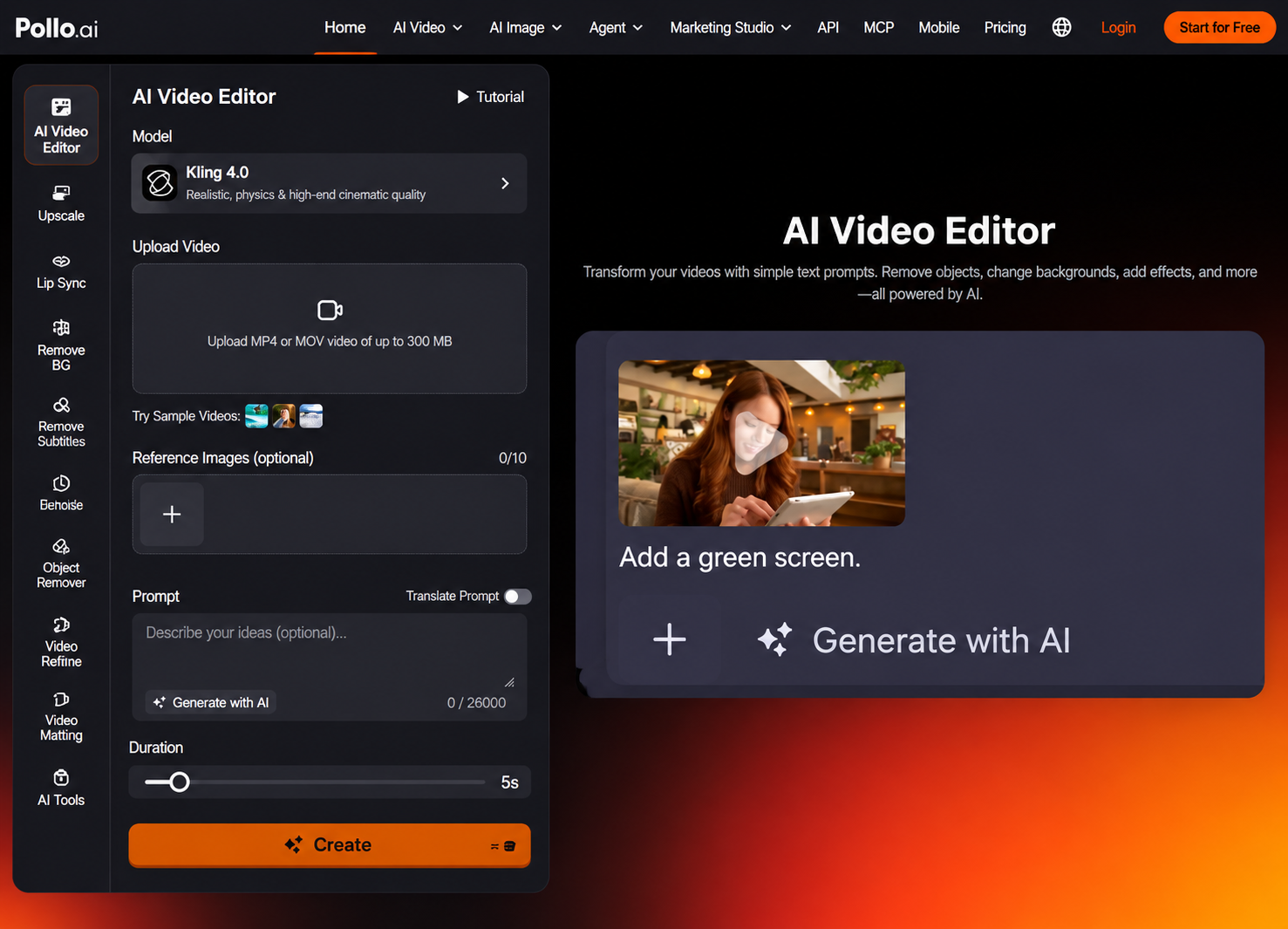
- Polish only the surrounding footage. After the identity swap is approved, use AI video editing to correct a distracting background, atmosphere or unwanted object when needed. Do not use editing to hide an inaccurate face swap or an unapproved claim.

- Run final human approval. Have the face owner and campaign approver review the exact export, caption, thumbnail and destination before publication. Archive the approved version so later edits are not confused with it.
What Should Written Face Swap Consent Cover?
Written consent should identify the person, assets, message, channels, duration, territories, modification rights and approval process in plain language. A vague release for ‘marketing content’ may not answer how an AI-generated performance will be used.
| Consent field | What to record | Why it matters |
| Identity and assets | Person, target image and source clip | Connects approval to exact inputs |
| Campaign purpose | Product, message and depicted action | Prevents unexpected endorsement |
| Distribution | Channels, paid use, regions and dates | Defines where the video may appear |
| Editing rights | Crops, translations and future variants | Controls later reuse |
| Approval and withdrawal | Reviewer, deadline and change process | Creates an accountable record |
For employees, customers, influencers or hired talent, involve the person responsible for contracts or legal review. Requirements differ by location, industry and platform, especially for regulated products, political communication and sensitive personal data.
A production checklist supports the process, but it does not replace campaign-specific legal advice.
How Do You Review Face Swap Quality for a Marketing Campaign?
Review tracking, expression, lighting, identity, message accuracy and disclosure separately rather than judging only whether the clip looks realistic. A clean face blend can still fail the campaign if the identity or claim is misleading.
- Tracking stability. The replacement should remain aligned through head turns, movement and partial profile views.
- Expression match. Mouth shape, eye movement and emotion should follow the original performance without appearing detached.
- Lighting and skin tone. Highlights, shadows and colour should respond to the surrounding scene instead of looking pasted onto the footage.
- Message and product truth. The final person should not appear to make claims, use products or endorse outcomes outside the approved script and context.
- Disclosure and platform fit. Add labels or notices when required by the destination platform, applicable rules or the risk of audience confusion.
Ready to Create an Approved Face Swap Video with Pollo AI?
Start with a short, fully authorised clip and one clear target-face image. Record the campaign purpose and permissions, generate a representative test in Pollo AI, then review tracking, identity, claims and disclosure with the person whose face appears. Scale the campaign only after the exact export has been approved.
